📝 Overview
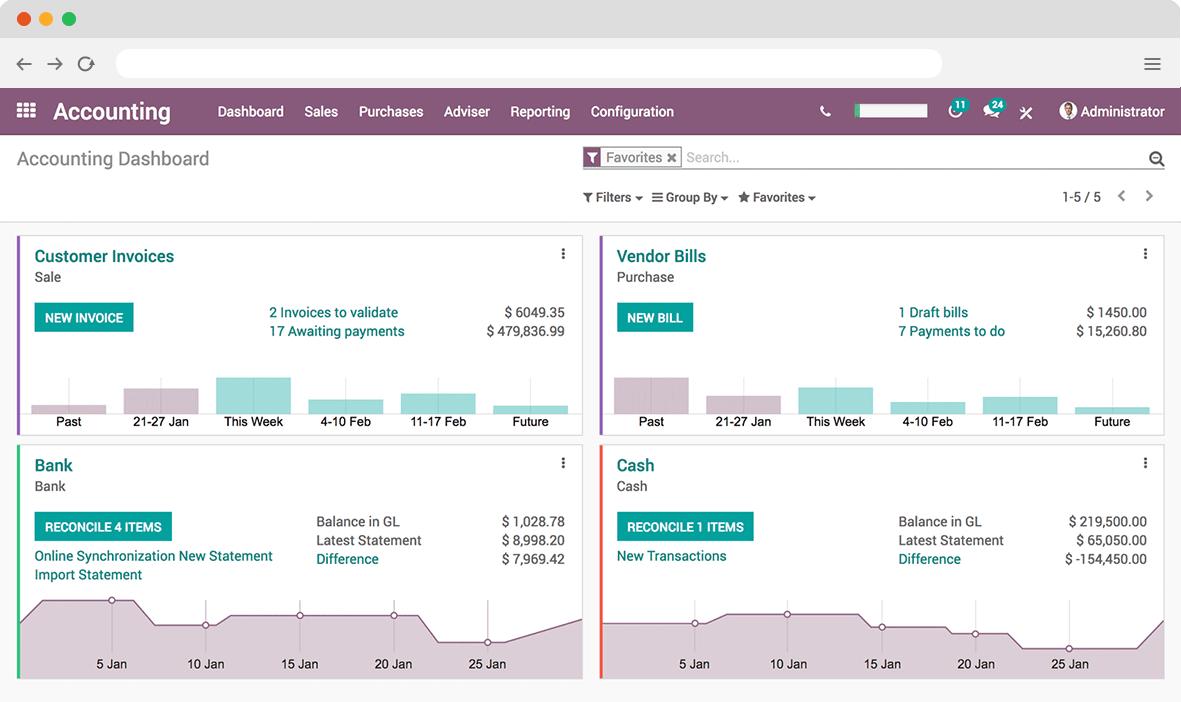
Accounting in Smart ERP is a powerful and user-friendly module designed to manage all financial operations of a business. It helps organizations track income, expenses, invoices, payments, and financial reports in real time.
🎯 Purpose
This article provides a basic understanding of the Accounting module for new users, helping them navigate and use essential accounting features efficiently.
💡 What is SmartERP Accounting?
Odoo Accounting is a fully integrated financial management system that allows businesses to:
- 📊 Record daily financial transactions
- 🧾 Manage customer invoices and vendor bills
- 💳 Track payments and bank transactions
- 📈 Generate financial reports
- 🔄 Automate accounting processes
⚙️ Key Features
🔹 Invoicing
- Create and send customer invoices
- Track payment status
- Automate recurring invoices
🔹 Bills Management
- Record vendor bills
- Schedule payments
- Manage due dates
🔹 Bank Integration
- Import bank statements
- Automatic reconciliation
- Match transactions easily
🔹 Journal Entries
- Manual accounting entries
- Adjustments and corrections
- Audit trail tracking
🔹 Financial Reports
- Profit & Loss
- Balance Sheet
- Cash Flow Statement
- Tax Reports
🧭 Navigation Guide
Go to:
Accounting → Dashboard
From here you can access:
- Customers (Invoices)
- Vendors (Bills)
- Accounting (Journal Entries)
- Reporting
🔄 Basic Workflow
- Create Customer Invoice
- Validate Invoice
- Register Payment
- Reconcile Transaction
- Generate Reports
⚠️ Important Notes
- 🔐 Only authorized users can access accounting data
- 💰 Always validate entries before posting
- 📅 Keep accounting periods updated
- 📊 Regularly review reports for accuracy
✅ Best Practices
- ✔️ Use automation wherever possible
- ✔️ Reconcile bank statements regularly
- ✔️ Maintain accurate customer/vendor data
- ✔️ Backup financial data periodically
📌 Related Articles
- Creating Customer Invoices
- Managing Vendor Bills
- Bank Reconciliation
- Financial Reporting in ERP
🧪 Demo Tip
To explore accounting features:
- Enable Accounting Module
- Load demo data
- Create sample invoices & payments