Step 1
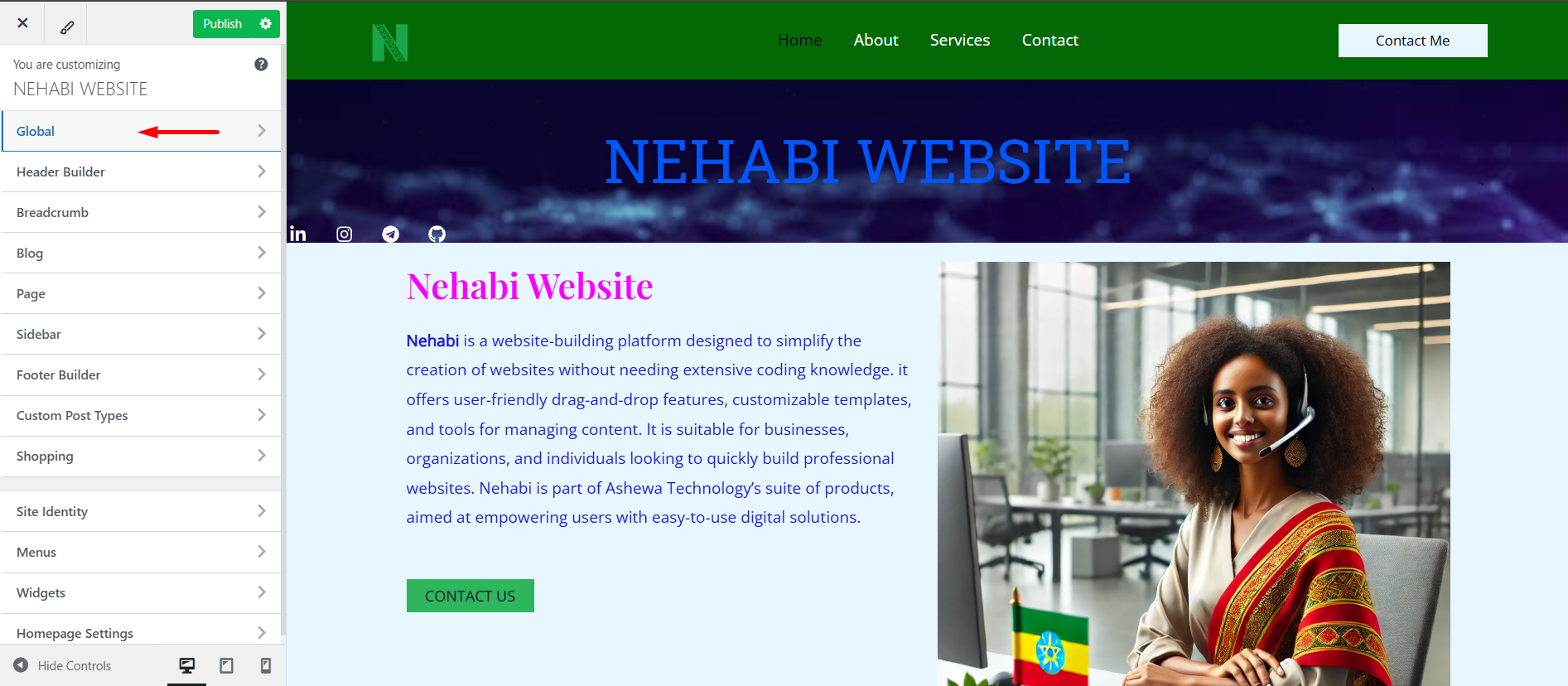
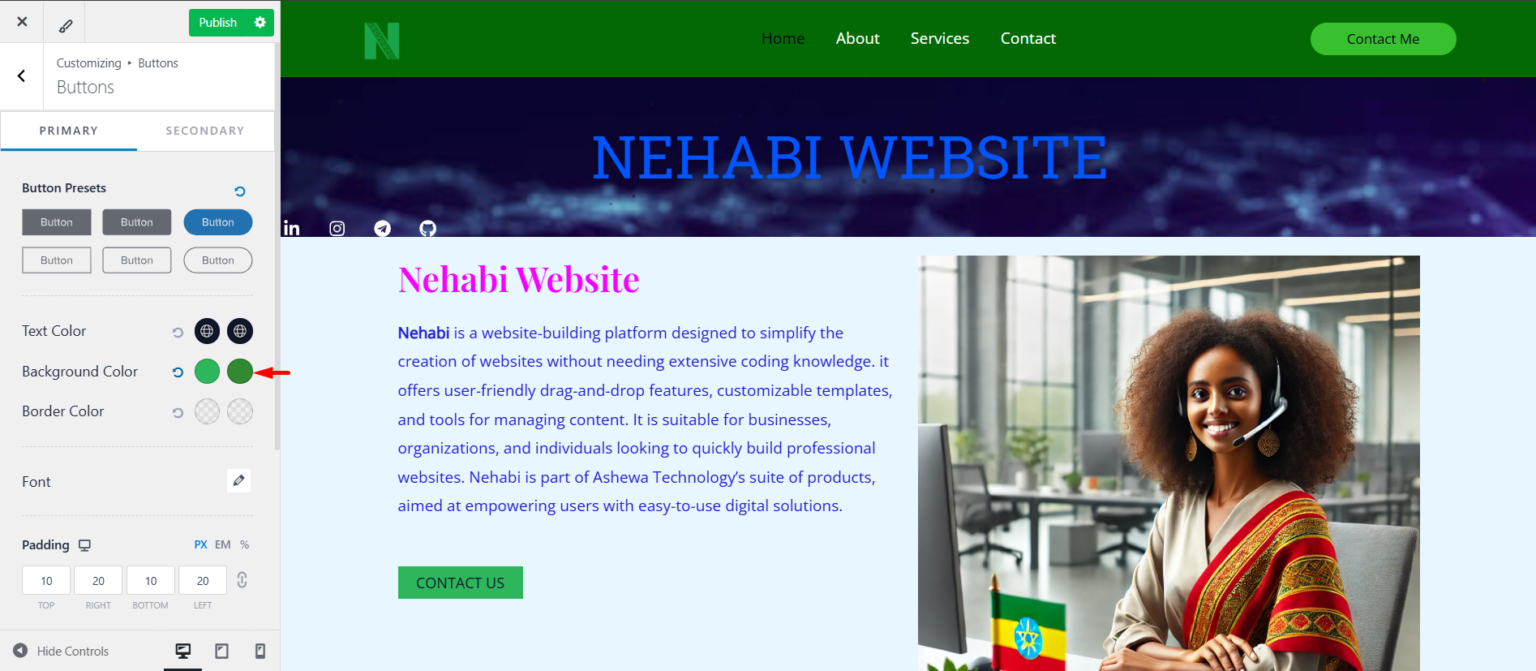
Select the Global section to continue to the Buttons section.
Step 2
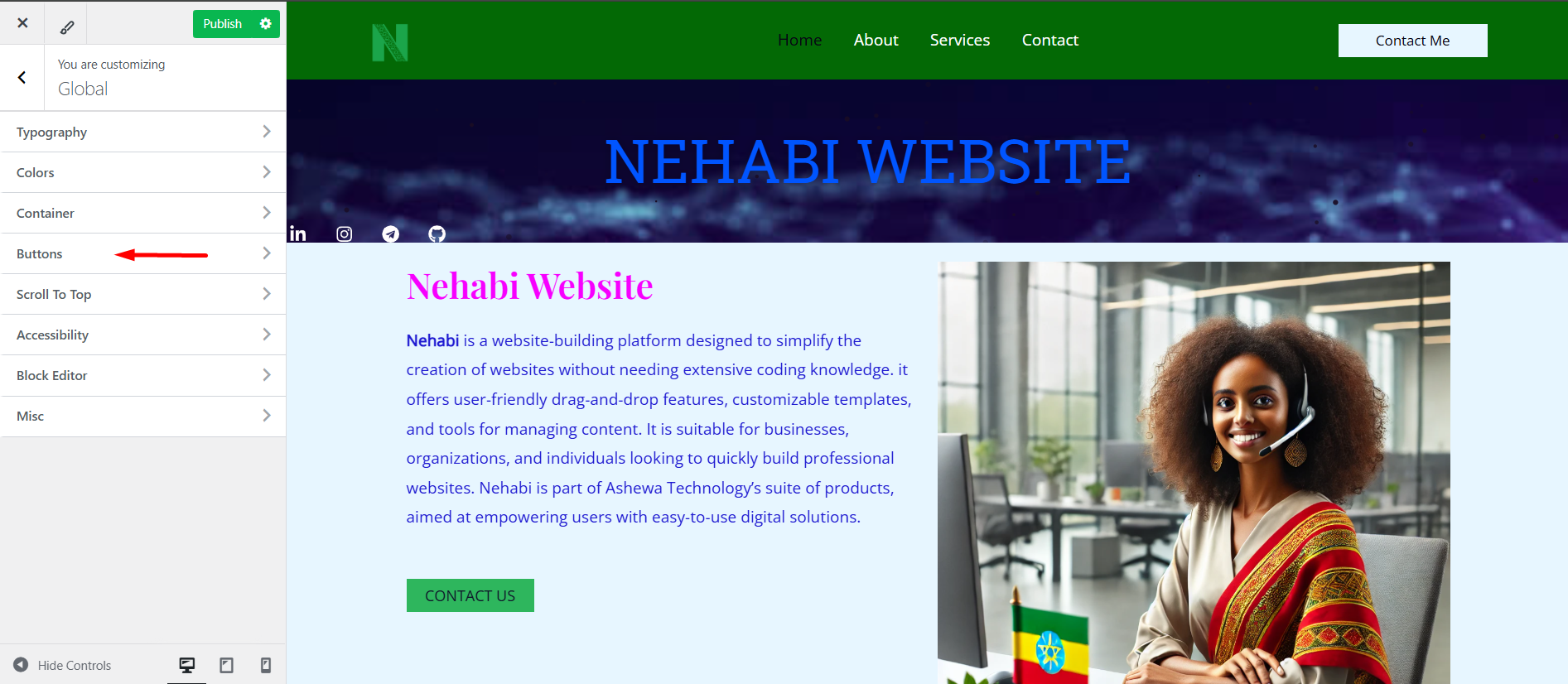
To customize the buttons further, navigate to the Global section and select the Buttons option.
Step 3
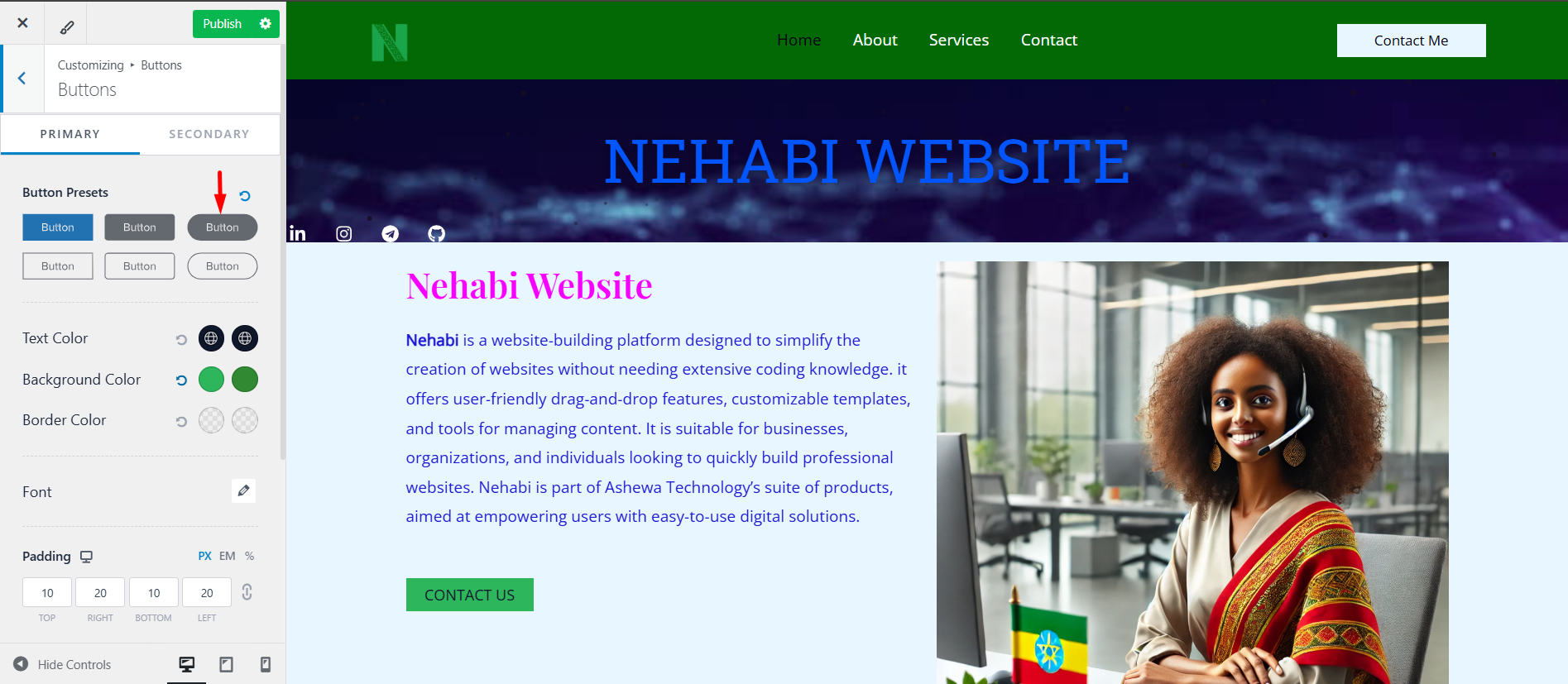
The button you select in the Global section will maintain the same design and appearance throughout the entire website, ensuring consistency in styling across all pages.
Step 4
This will allow you to adjust the button color and other design elements for a consistent look across your website.
Step 5
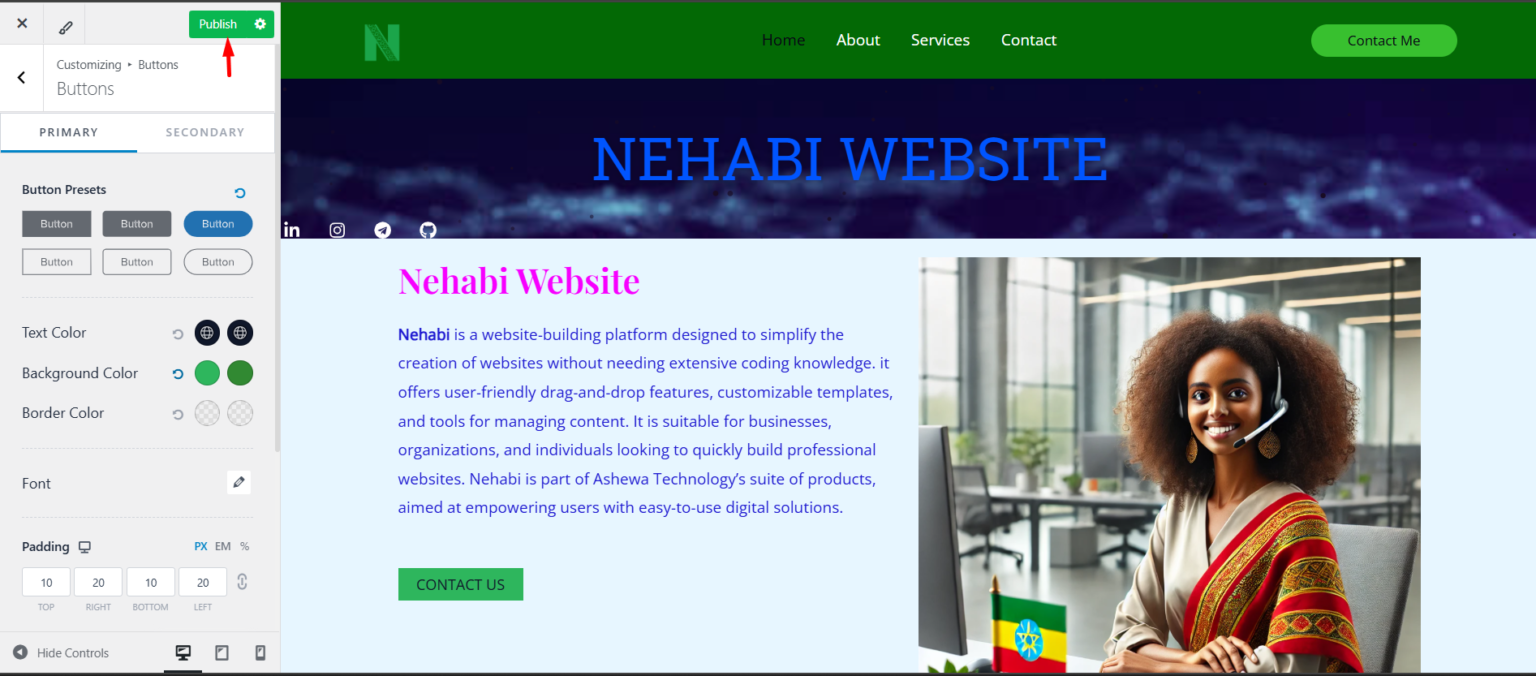
Don’t forget to publish your changes when you’re done!