Step 1
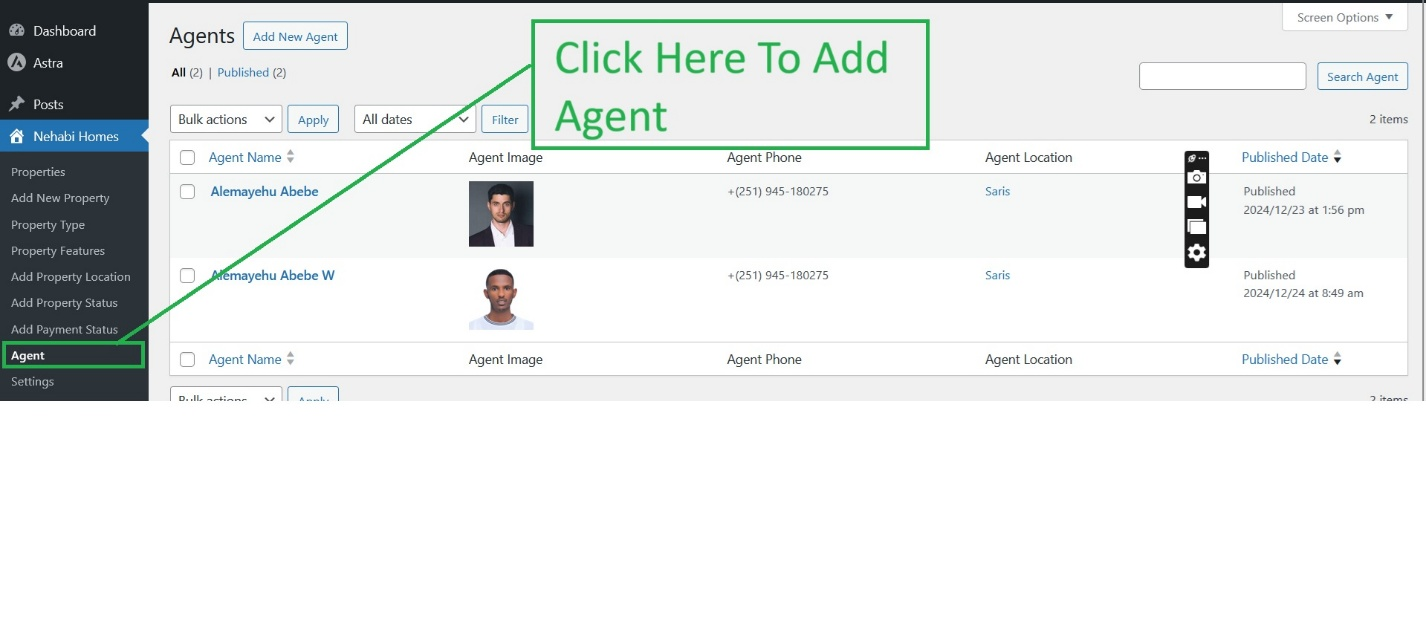
Go to Nehabi Homes Nav and Click “Agent” Sub Menu.
Step 2
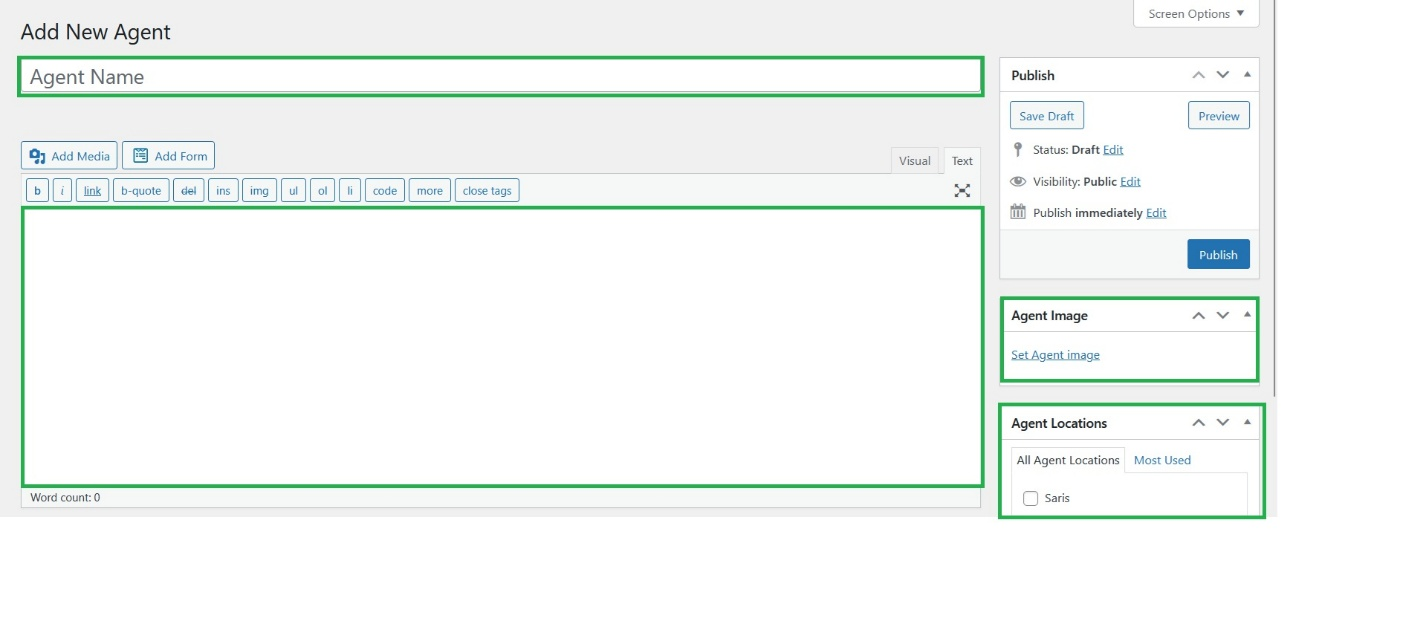
Fill the agent Full Name, Some Description about agent, Agent Image and agent Location.
Step 3
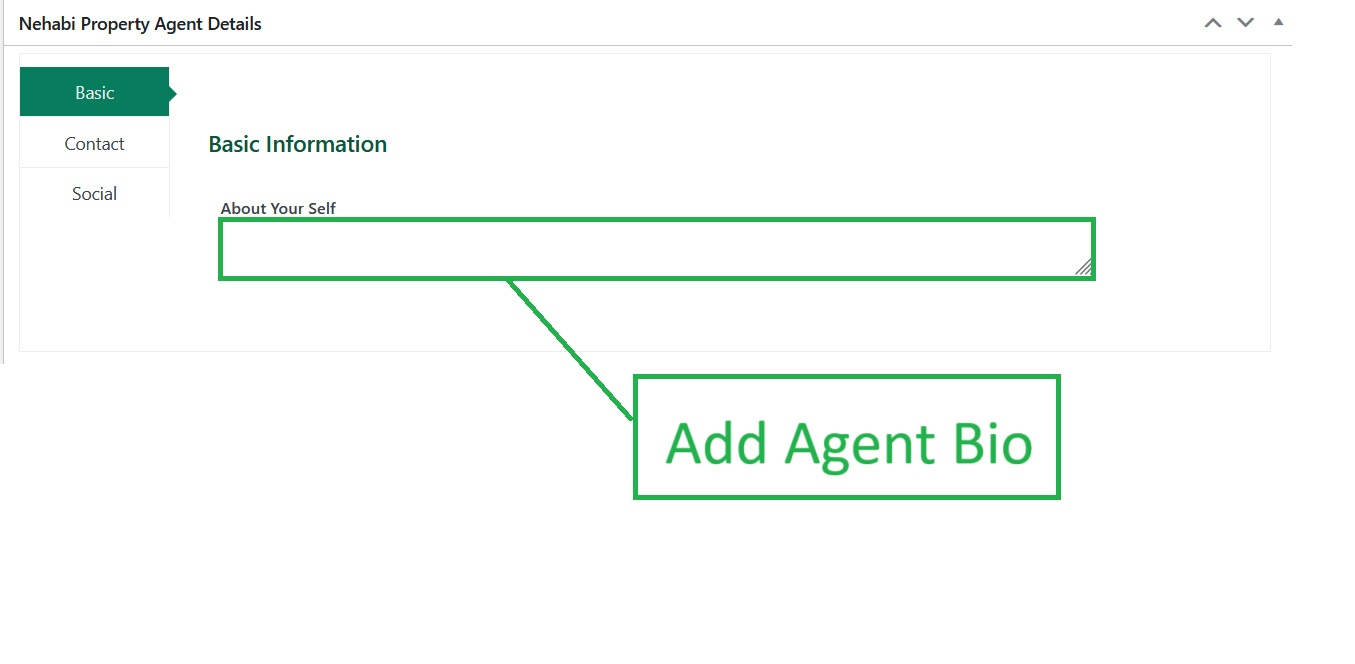
Insert agent Bio Information for more Describe the agent.
Step 4
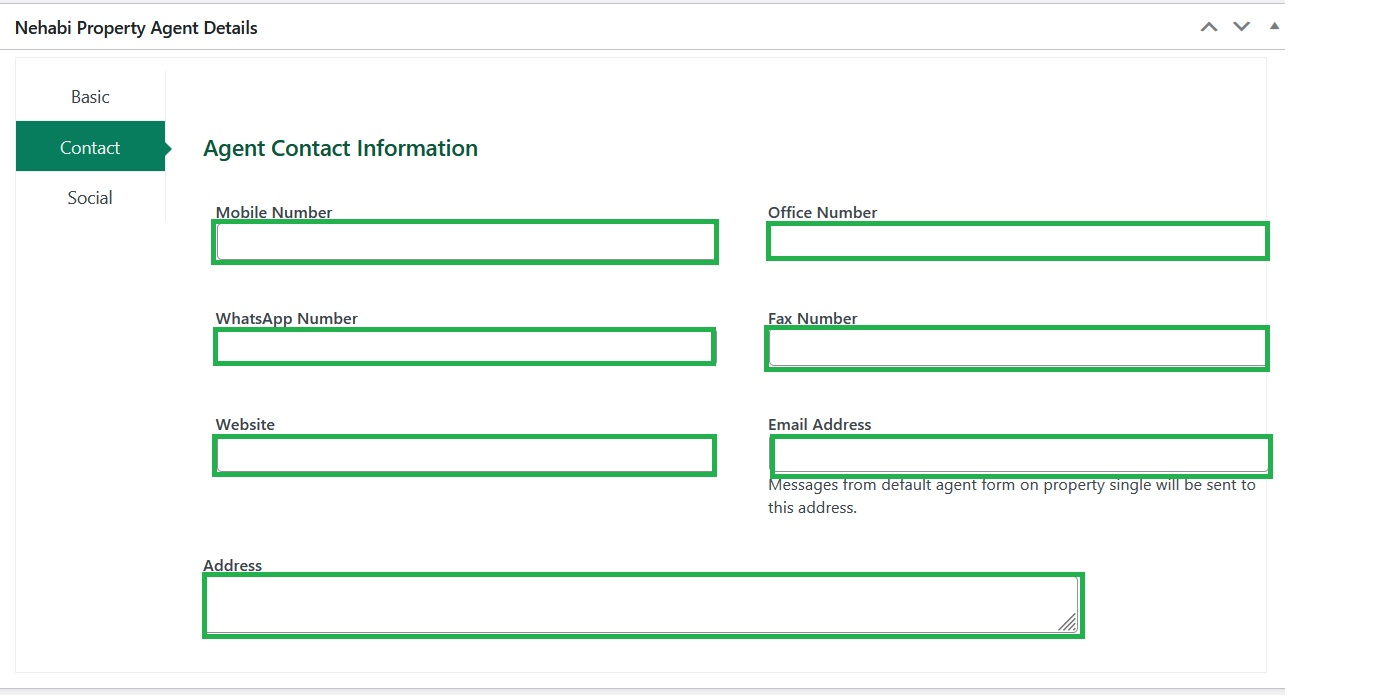
Fill Those bellow Agent Contact information to get in touch with clients.
Step 5
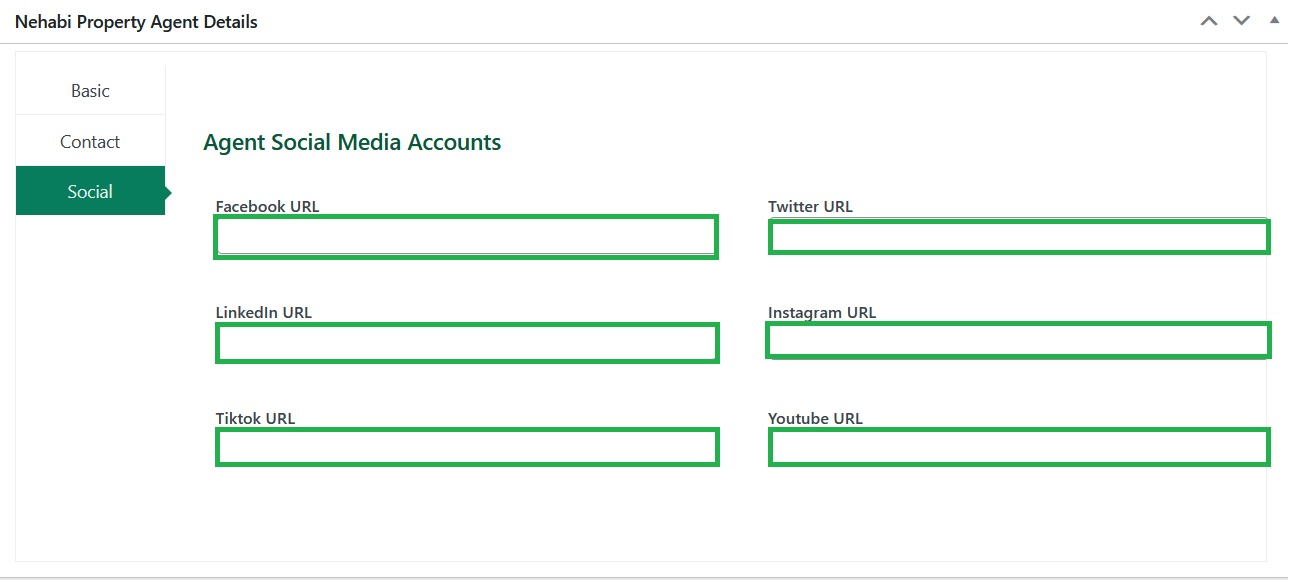
The Bellow Input filled asks you the social links for your profile. Just copy and paste the URL.
Step 6
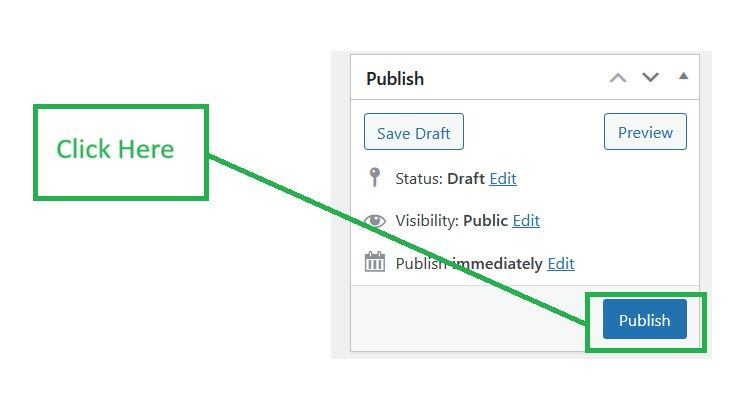
After go through all navigation, the make sure if there is no left information then click publish button.