Step 1
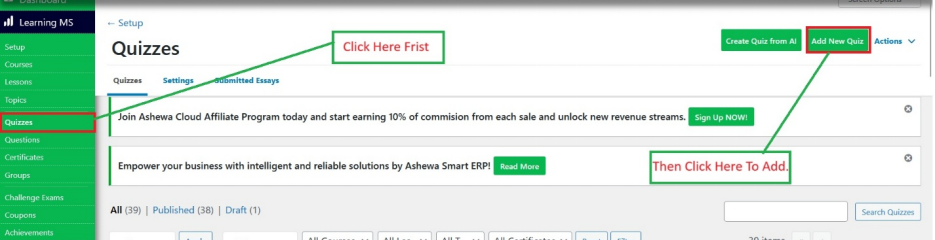
Navigate to LearnDash LMS, go to the Quizzes section, and click on Add New to create a new quiz.
Step 2
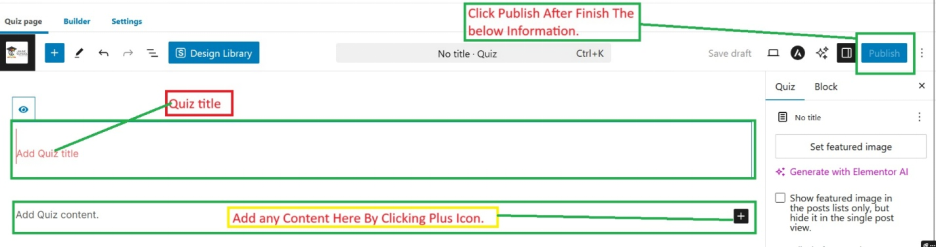
Enter a quiz title and instructions. Assign the quiz to a Lesson, Topic, or Course and click Publish.
Navigate to LearnDash LMS, go to the Quizzes section, and click on Add New to create a new quiz.
Enter a quiz title and instructions. Assign the quiz to a Lesson, Topic, or Course and click Publish.
Get guidance from our team for setup, training, troubleshooting, and business process support.