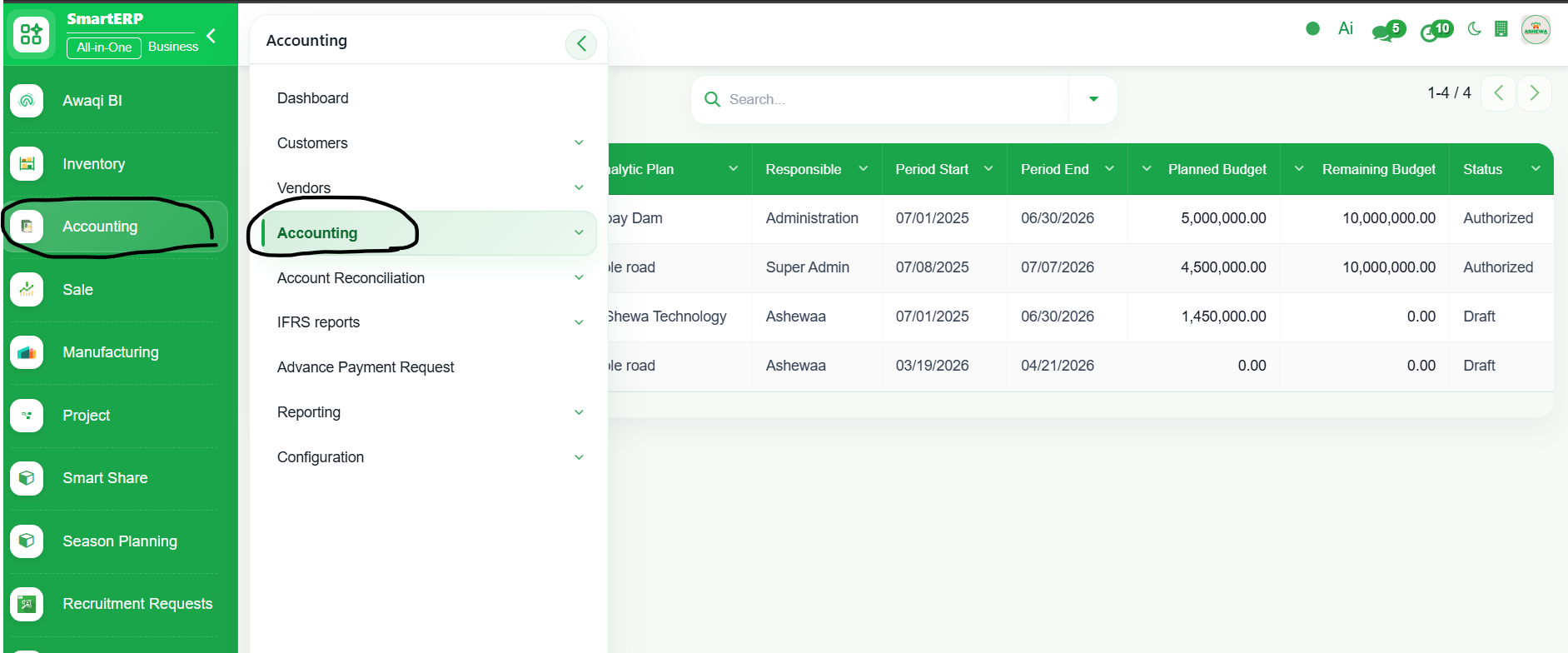
1. Go to Accounting
2. Click ‘Accounting’
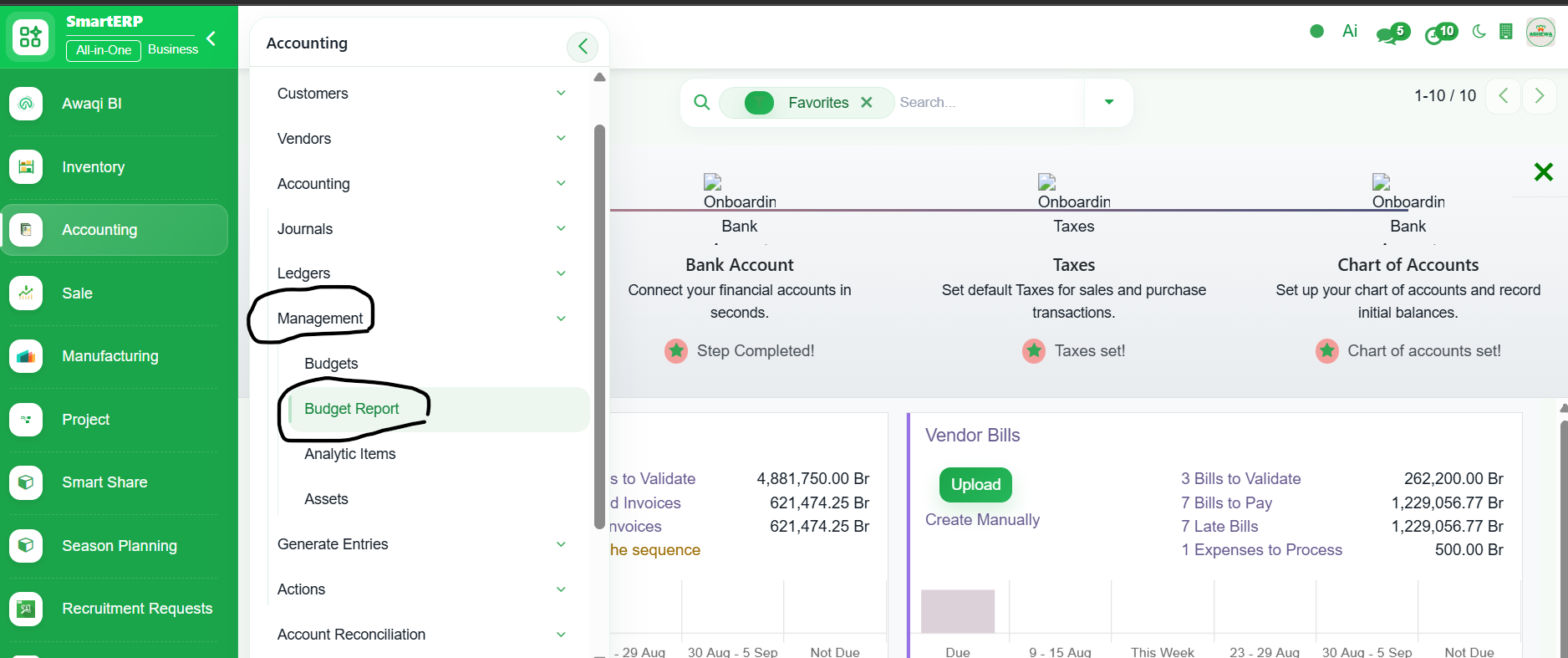
3. Click "Management" and Select ‘Budget Report’
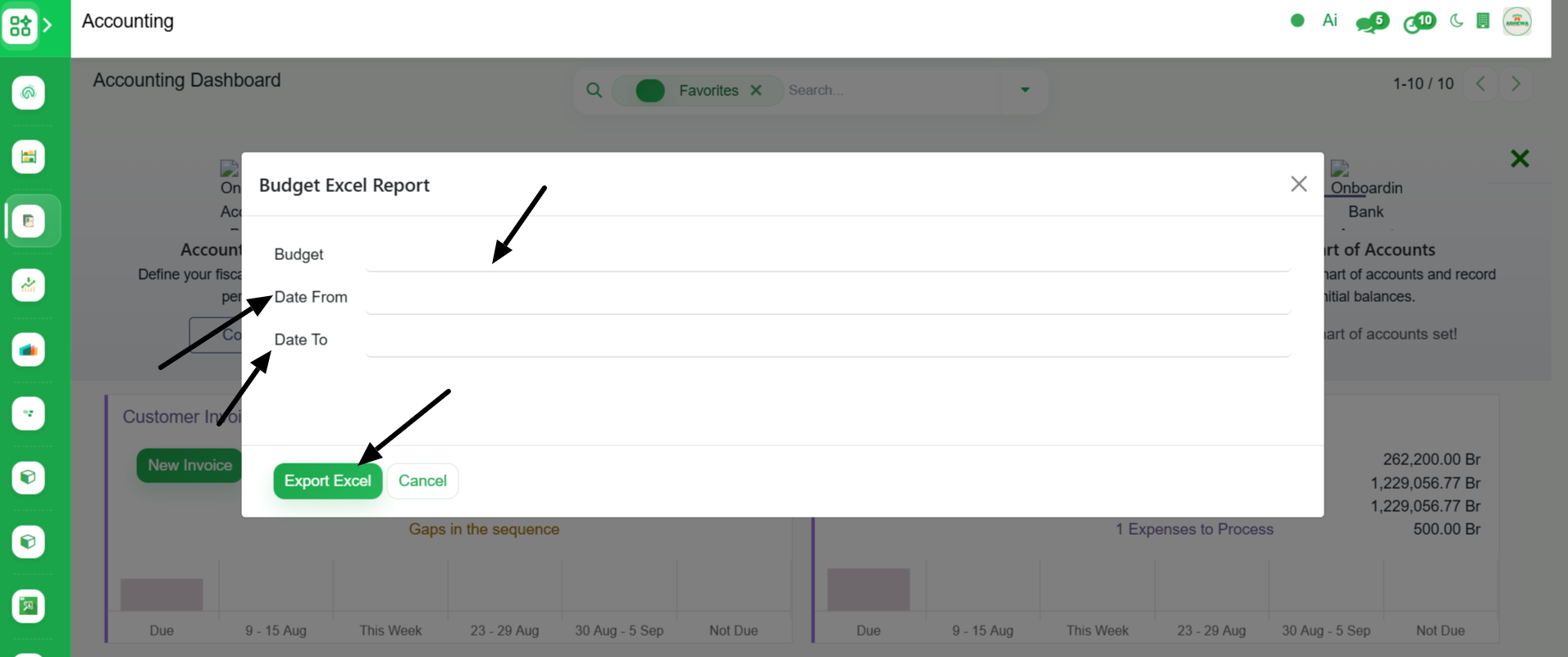
4. Select Budget, Date from and Date to then Click ‘Export Excel’. The system generate detailed budget report including the budget name, perirod, cost center, planned amount, used amount, remainning amount and percentage used.