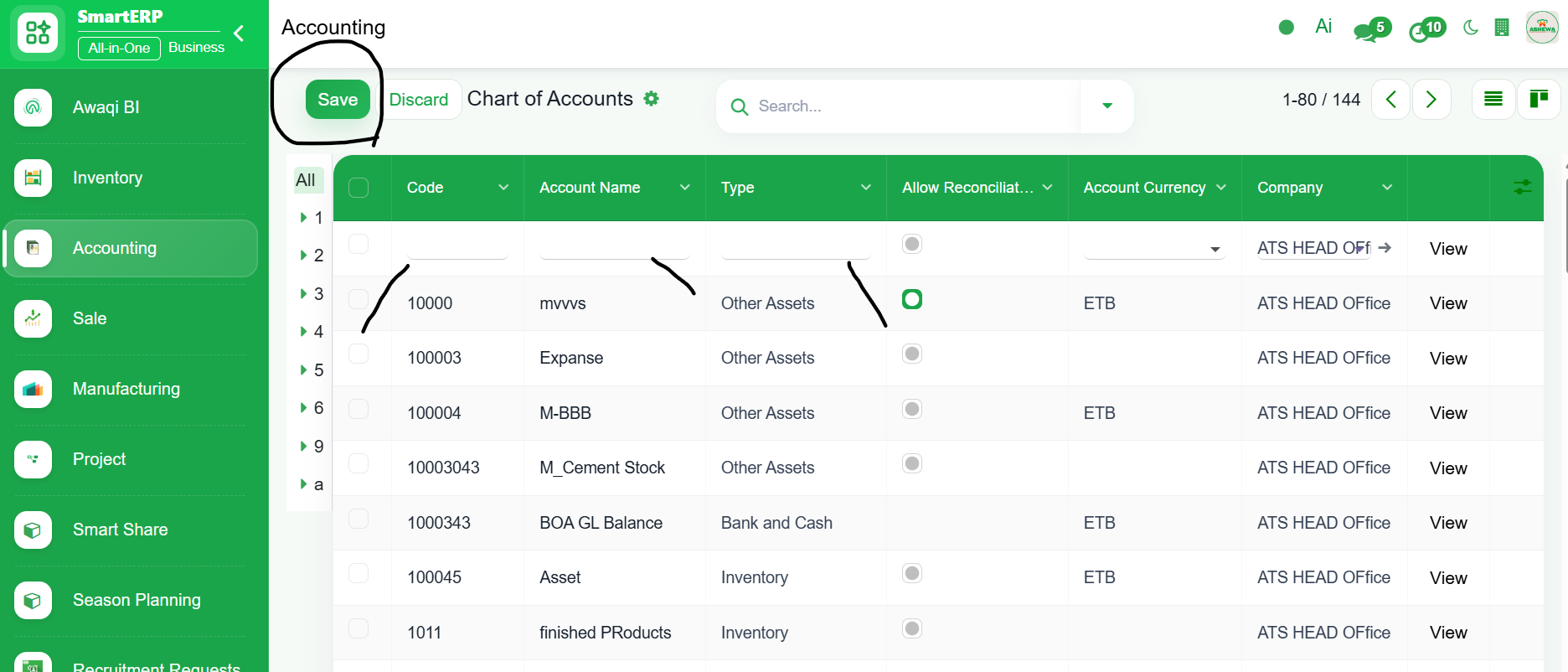
To create new Chart of Account
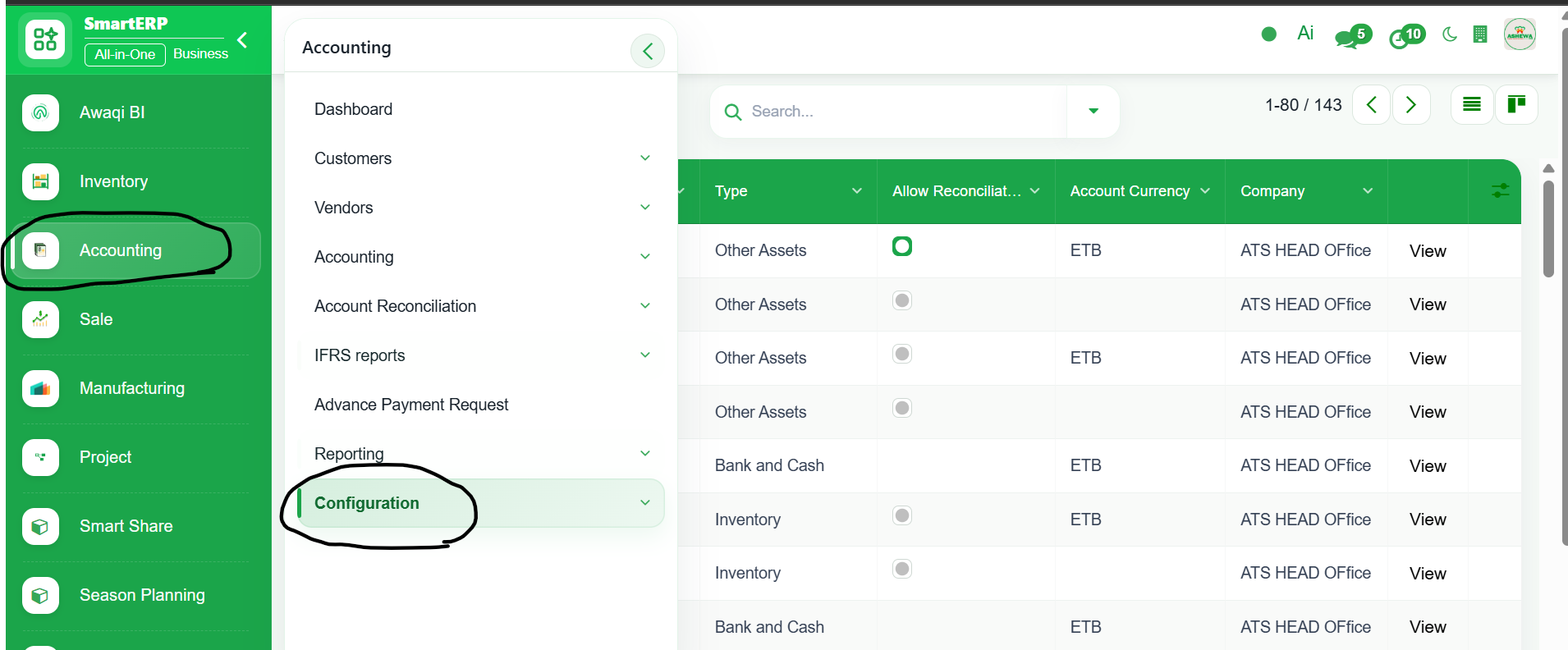
1. Go to Accounting or Invoicing module
2. Click ‘Configuration’
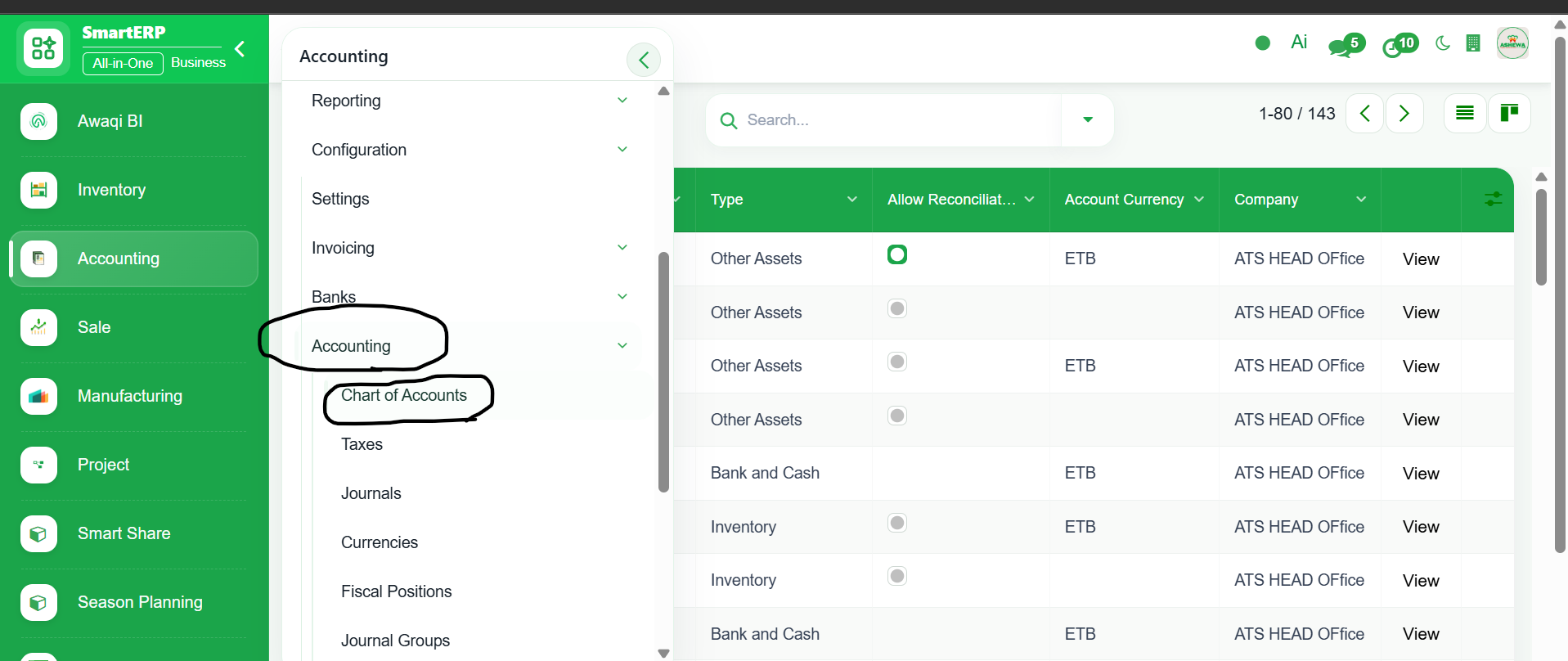
3. Select ‘Accounting’
4. Click ‘Chart of Account’
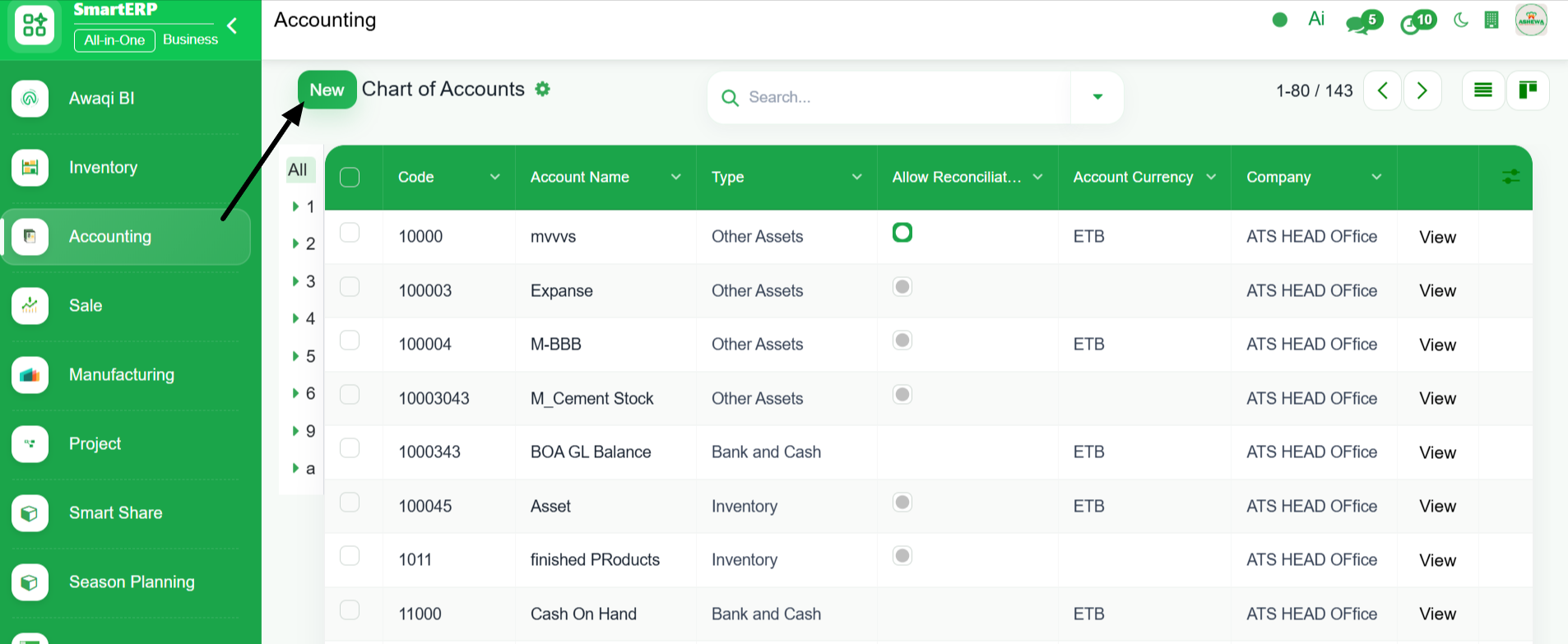
5. Click ‘New’
6. Enter the account code, account name, select account type and click Save. New Chart of Account is Created