Step 1
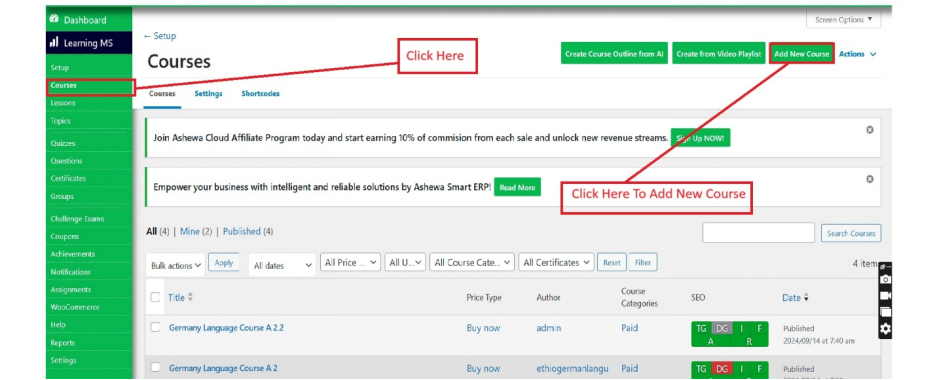
Go to LearnDash LMS, navigate to the Courses section, and click on Add New to create a new course.
Step 2
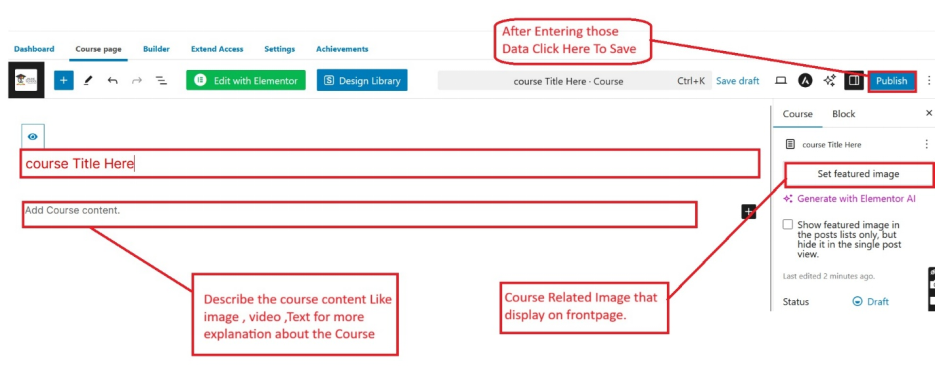
Enter a course title and description explaining the course content. Then Click Publish to save the course.
Go to LearnDash LMS, navigate to the Courses section, and click on Add New to create a new course.
Enter a course title and description explaining the course content. Then Click Publish to save the course.
Get guidance from our team for setup, training, troubleshooting, and business process support.