Step 1
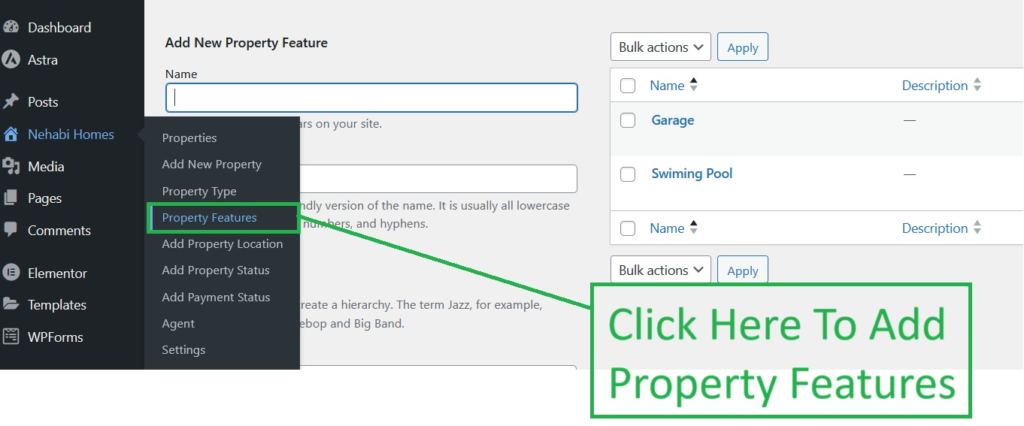
Go to Nehabi Homes Nav and Click “Add Property Features” Sub Menu.
Step 2
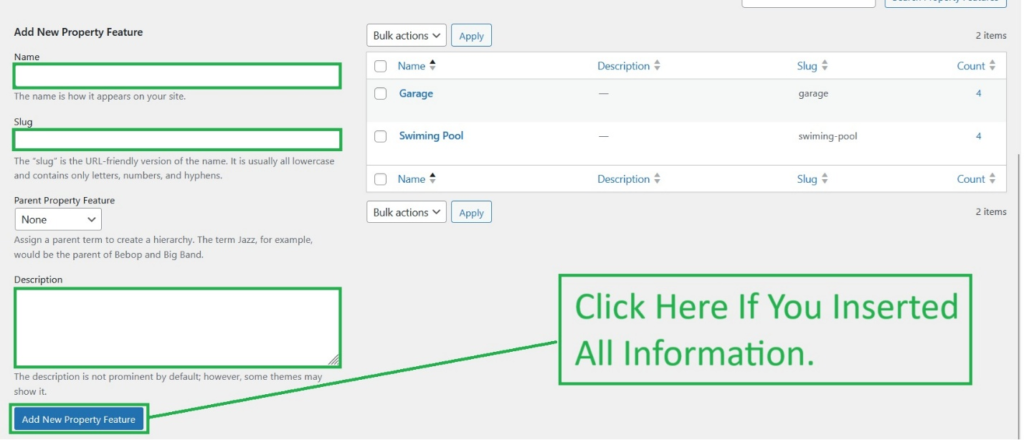
Add the information needed below, then click the button “Add New Property Features”.
Go to Nehabi Homes Nav and Click “Add Property Features” Sub Menu.
Add the information needed below, then click the button “Add New Property Features”.
Get guidance from our team for setup, training, troubleshooting, and business process support.